GEORGIA TECH X MICROSOFT INDUSTRY COLLABORATION PROJECT
Tracking Design Decisions with Copilot
COMPANY
Microsoft
ROLE
Product Designer
TIMELINE
May 2025 - 2026
Team
Azure Database

OVERVIEW
Automating how design decisions get captured, tracked, and shared — so designers can spend less time reconstructing context and more time designing.

MY CONTRIBUTION
Owned end-to-end product design across Align's core flows: onboarding, rationale view, project board, and weekly reports
Extended the Fluent Web 2.0 design system to meet Align's needs
Planned and facilitated concept validation workshops, then shaped the final design direction
Prototyped with Claude + Figma Make to test early concepts before high fidelity
PROBLEM
At Microsoft, design happens across three tools. The reasoning behind every decision lives in none of them. Leading to confusion, rework and inefficiency
DESIGN HAPPENS ACROSS

Teams -> Chats
Copilot -> Research
Azure Devops -> Tasks
But none of them share context.
What changed
Why it changed
Who decided it
WHAT GETS LOST
The reasoning behind decisions
THE COST OF THAT
Time wasted
reconstructing context
Confusion when new people join
Decisions that can’t be traced back



TODO
1. Wireframe onboarding flow 2. Update component library 3. Finalize high-fidelity screens 4. Add annotations to handoff file 5. Share prototype link with PM 6. Address engineer comments 7. Present concepts to stakeholders
TODO
1. Dev StandUp 2. Fluent Web Review 3. Accessibility Audit 4. Onboarding V2
A Product Designer's day at a glance
SO WE ASK THE QUESTION:
How might we help teams capture project context without interrupting existing workflows?
SOLUTION OVERVIEW
Introducing: Align — A Copilot powered Teams app
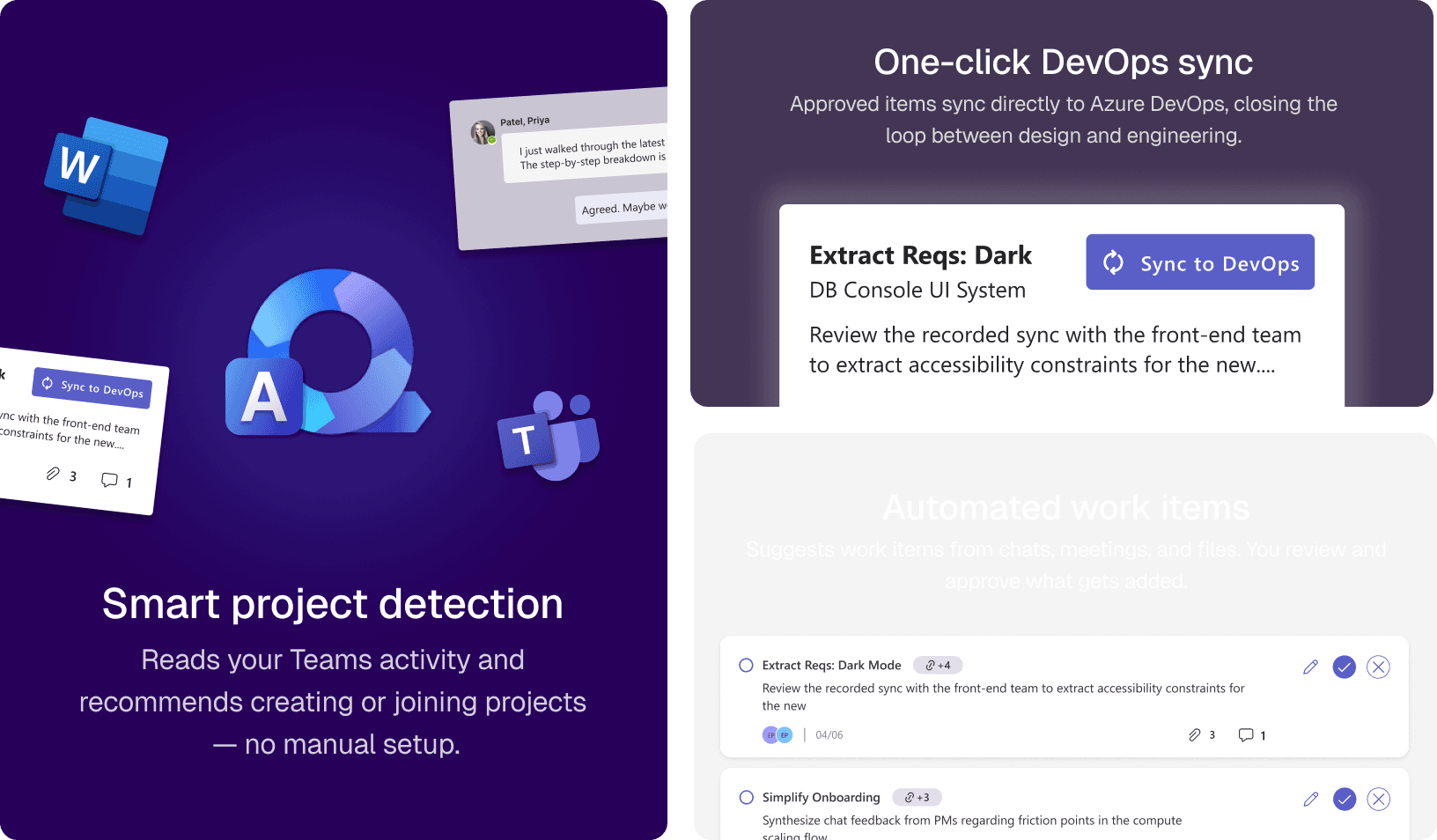
We built Align to solve exactly that. It reads your workspace — chats, meetings, files — and surfaces everything as structured work items. The next time someone asks why a decision was made, you don't have to go digging.
WALKTHROUGH
Here's how Align works
Let's walk through what a designer actually sees, from the moment Align reads their workspace to when a work item lands in DevOps.
It analyzes chats, files, and meeting transcripts to recommend creating new projects or joining existing ones.
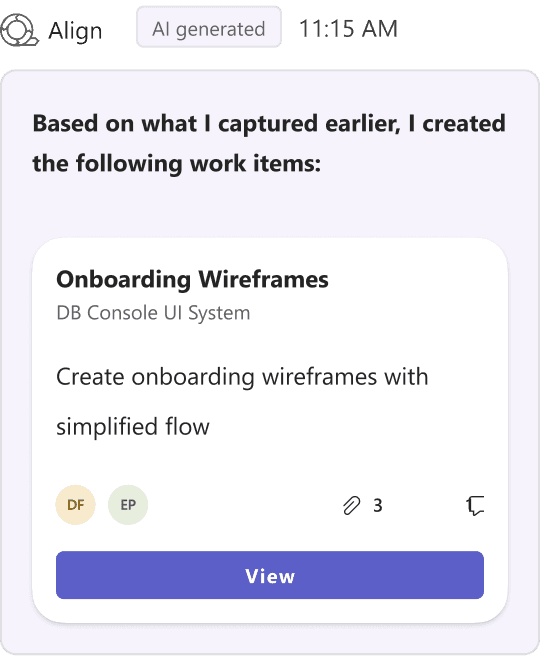
Align then pre-fills each work item with the context it found, the rationale, the source, even the relevant files. You review, edit if needed, and add it to the board.
And when you're ready, it all goes to Azure DevOps in one click: the reasoning, the sources, everything.
ADDITIONAL FEATURES
How Align minimizes manual effort
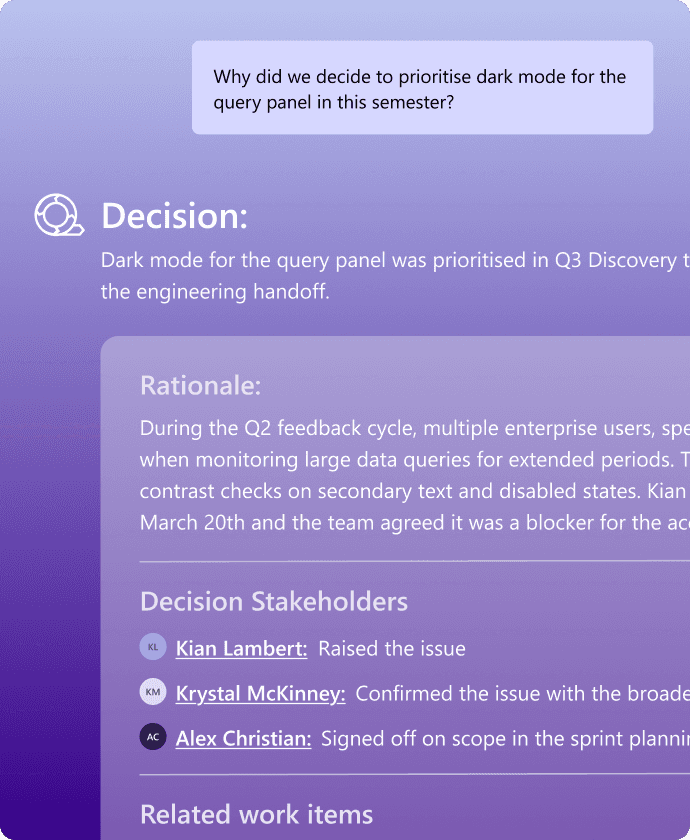
Align chatbot
Get instant context on where decisions were made, who made them, and why with relevant meetings, conversations, files, and sources surfaced in one place.
Weekly Report Creation
Call Align anywhere
OUTCOMES
How designers responded to Align.
"I love how this tool could help people implicitly interact with AI... supporting the human to be more human in ways. This could give us energy back versus taking it. This could bring people on the team closer” - Microsoft Designer
21 of 32 designers at the workshop expressed interest in incorporating Align into their existing workflows.
VALIDATION FROM
DESIGNERS @MICROSOFT
The low barrier to entry sparked conversations about taking Align beyond Microsoft, to any enterprise team already working in Teams.
SCALABLE FOR
ENTERPRISE
Users loved having the final say. Keeping humans in control while letting AI do the heavy lifting turned out to be exactly the right call.
DESIGNING FOR AI AND TRUST
Here's how this solution came about :
USER RESEARCH
We needed to understand what this friction actually cost designers.
Before designing anything, we set out to map how Microsoft designers actually work, not how they're supposed to, but how they do day to day.
Reviewed existing documentation like:
Peer reviewed academic papers
Industry case studies
Microsoft Inside Track blog
LITERATURE REVIEW
Identified high friction workflows:
Refining specs
Prioritization
Technical Feasibility
QUALTRICS SURVEY
Enquired 15 participants about:
Tools and AI usage
Design Advocacy
Timeline Constraints
Prioritization challenges
INTERVIEWS
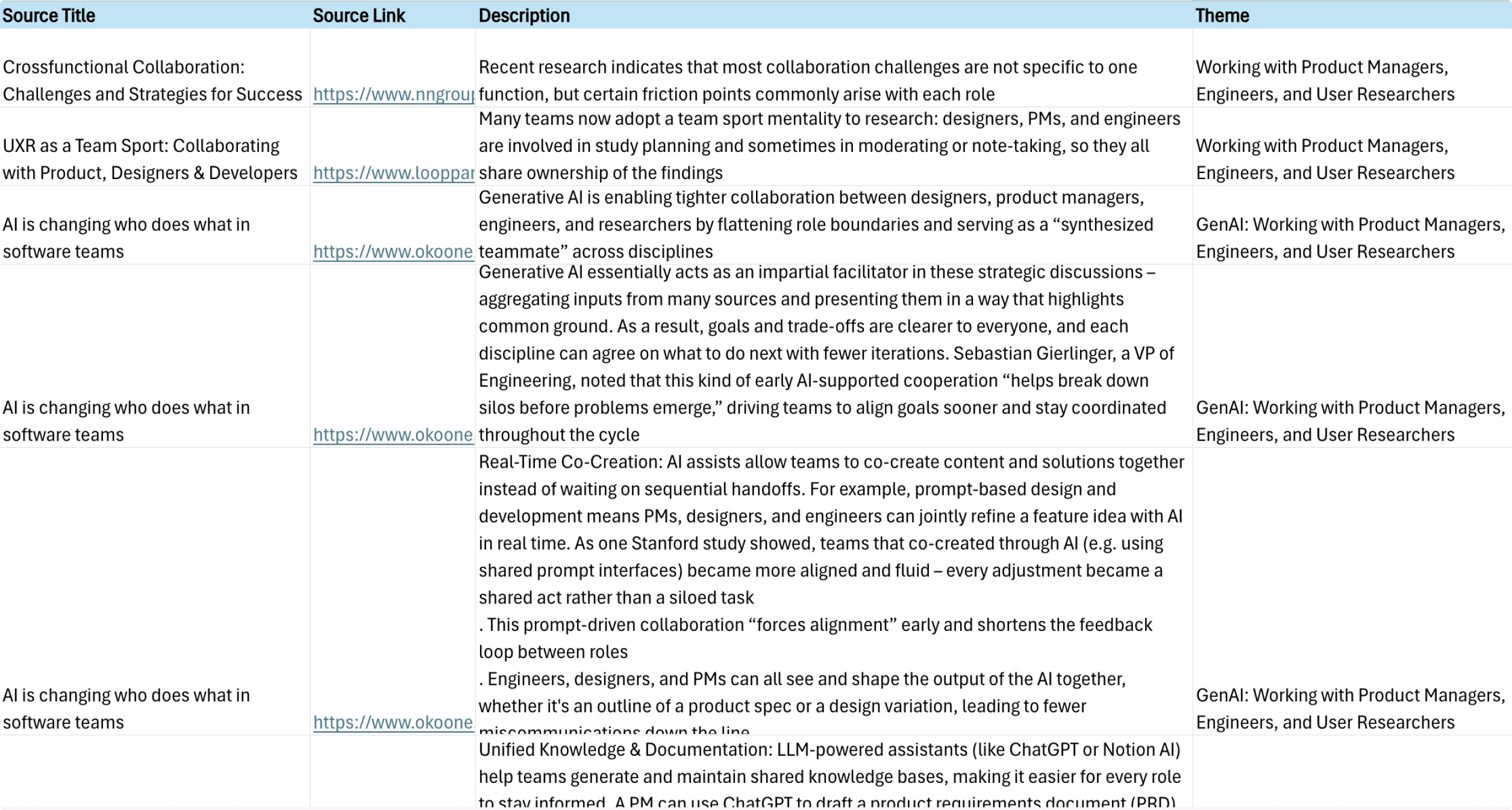
The research pointed to three clear problem areas.
After synthesizing the data through affinity mapping and thematic analysis, three problem areas emerged consistently:
AI HELPS INDIVIDUALS, NOT TEAMS:
Designers were already using Copilot to speed up solo work, but it broke down the moment cross-functional collaboration was involved. Especially around tracking requirement changes.
DECISIONS ARE MADE VERBALLY AND RARELY RECORDED
The highest-friction phases of design work refining specs, prioritization, feasibility discussions were exactly where documentation was most absent.
CONTEXT GETS REBUILT FROM SCRATCH, EVERY TIME
When requirements shifted, designers had no system to fall back on. They'd retrace conversations, re-read threads, re-ask stakeholders.
This pain point appeared in 15 of 20 interviews — the single most consistent finding in our data.
IDEATION
We explored broadly before committing to a direction
Using 5W1H, Crazy 8s, and group brainstorming, we generated over 24 concepts ranging from Figma plugins to Copilot extensions to standalone tools.
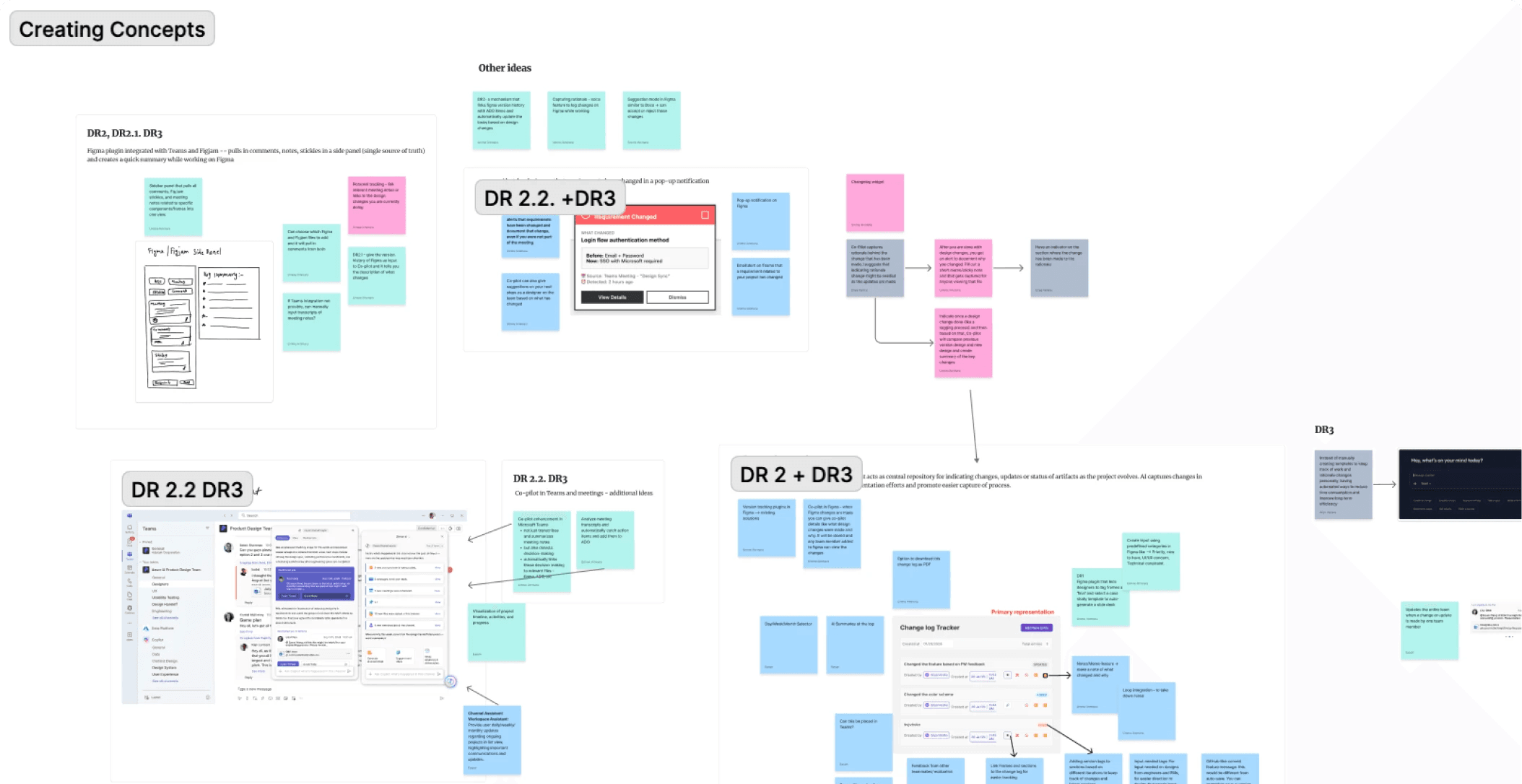
The concepts were narrowed down to:
FIGMA COPILOT WIDGET
A Figma Copilot plugin that captures design decisions in real time and automatically generates structured reports explaining what changed, why, and which requirements were addressed.
TEAMS PLANNER APP
A Copilot-powered Teams app that identifies action items from chats, meetings, and discussions, then automatically creates Azure DevOps work items.
CROSS PROJECT TRACKER
Copilot-powered Figma Plugin for consolidating Planner plans and design artifacts across projects into a single, intelligent workflow.
CONCEPT TESTING
Using Claude + Figma Make to visualize early concepts
I wanted to explore how we can use AI to speed up and improve the visualization of our concepts for early concept testing, so I provided some early sketches to Claude along with the user flow to come up with these prototypes.
Teams Planner concept
Figma Copilot widget
BENEFITS
Clearer representation of design concepts allowed testing participants to visualize the solutions more in depth.
Reduced prototype creation time from 2 days to 30 mins.
Accelerated iteration and validation before high-fidelity design.
Allowed us to receive comprehensive feedback on concepts for our final solution.
PROBLEMS
While creating these prototypes, the AI required a lot of manual input to make minute changes.
It was difficult to maintain consistency across the prototypes even with a design system input.
There was heavy reliability on prompt clarity and iteration to achieve desired results.
Through testing and analysis we identified the
' Teams planner app ' as the ideal solution
Design requirements -> Features
As we identified our final concept, an analysis was conducted to establish design requirements as our guiding principles for the main features.
DESIGN REQUIREMENTS
FEATURES
DR1: Automatic Tracking of changes
Automatic Work item and Project creation
DR2: Preserving decision-making behind design changes
Rationale capture and depiction in projects and work items
DR3: Easy alignment and involvement of stakeholders
Easy sync to DevOps and integration into existing tool workflow
DESIGN WORKSHOP
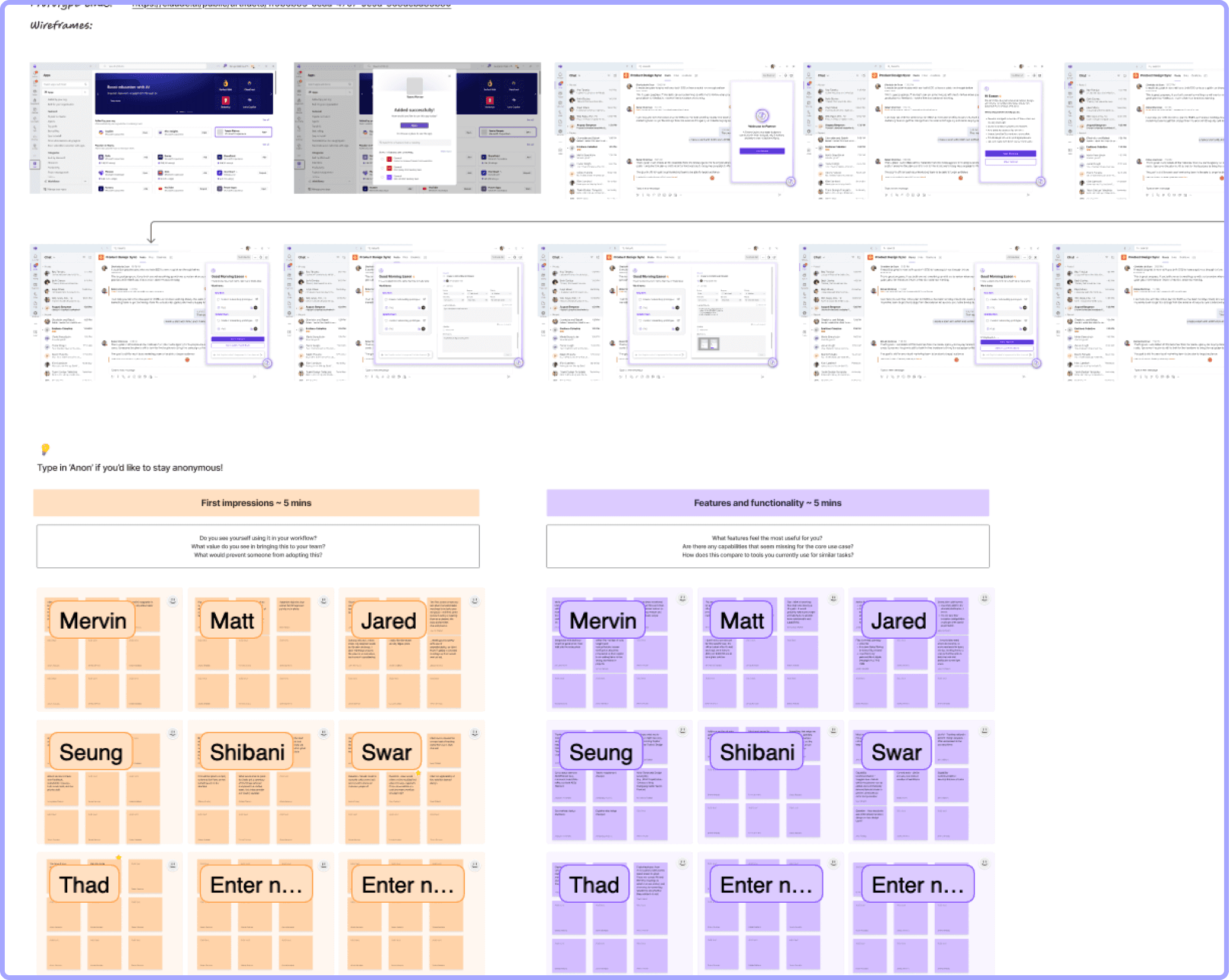
Before building high-fidelity, we needed to pressure test the concept with real Microsoft designers.
As the product direction evolved, the team needed a way to validate whether the proposed concept workflows for the teams planner app aligned with real designer workflows and collaboration patterns before moving into the final iterations.
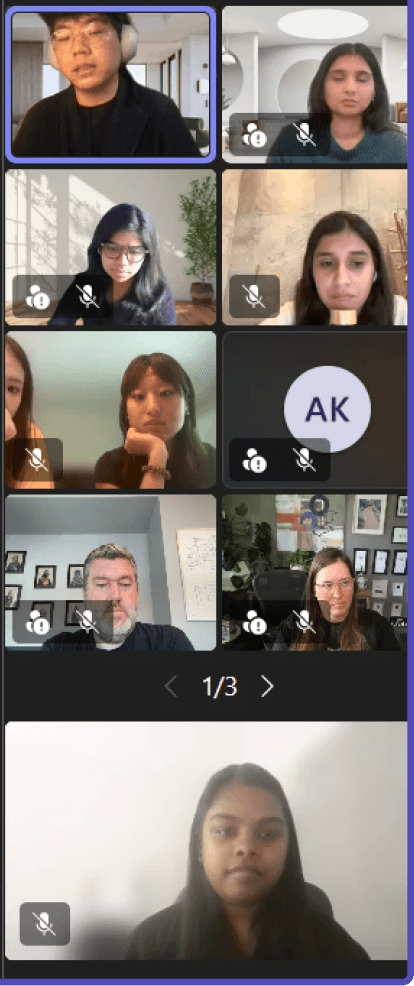
and I assumed a leadership role in this….
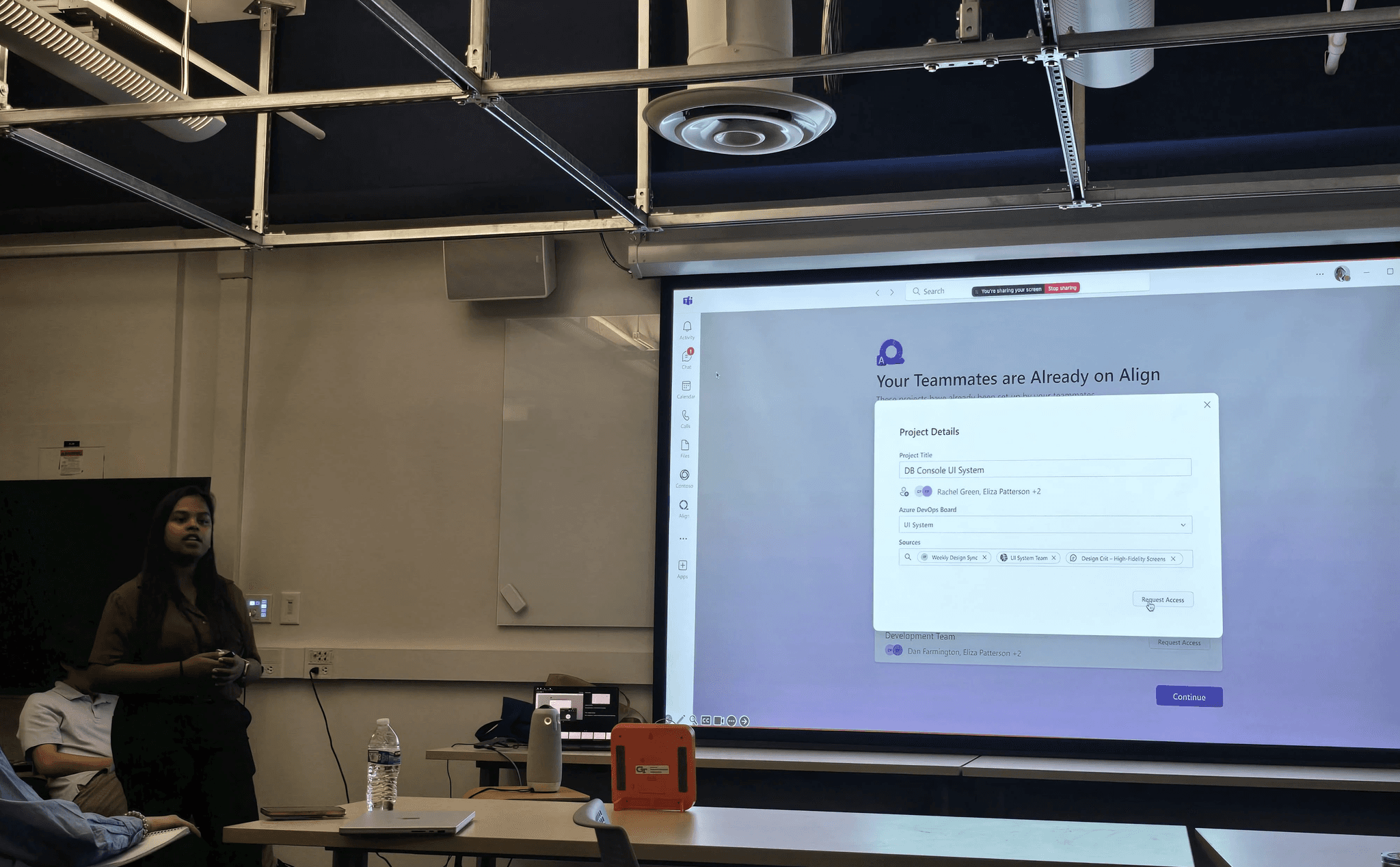
Planned and facilitated the workshop sessions with 32 designers at Microsoft
Walked the team through early concepts and encouraged open discussion
Facilitated feedback activities using brief design reviews sessions.
here's what we learned:
FINAL SOLUTION
What Align' features looks like, end to end.
Every screen here traces back to something we heard in research or learned in the workshop.
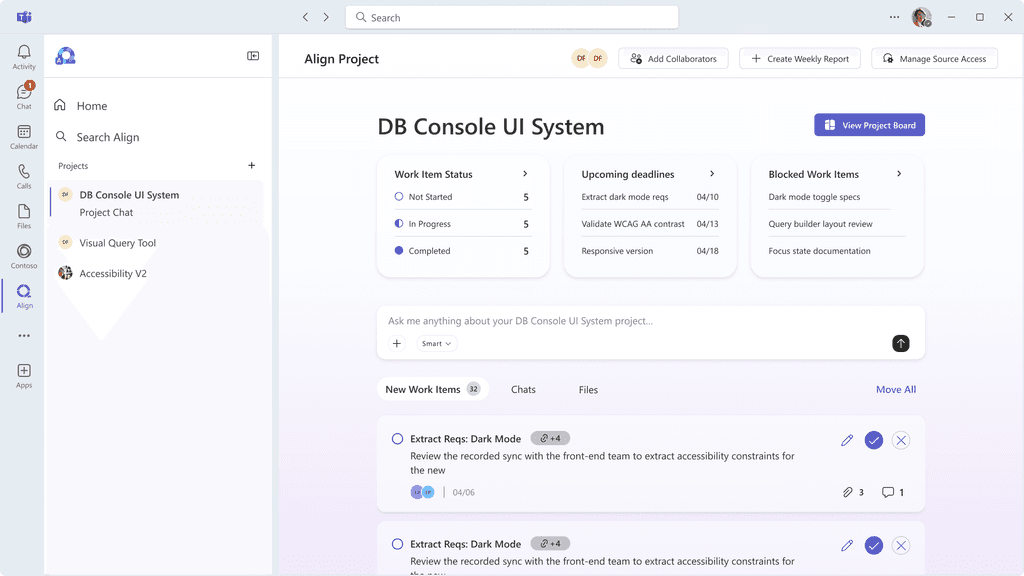
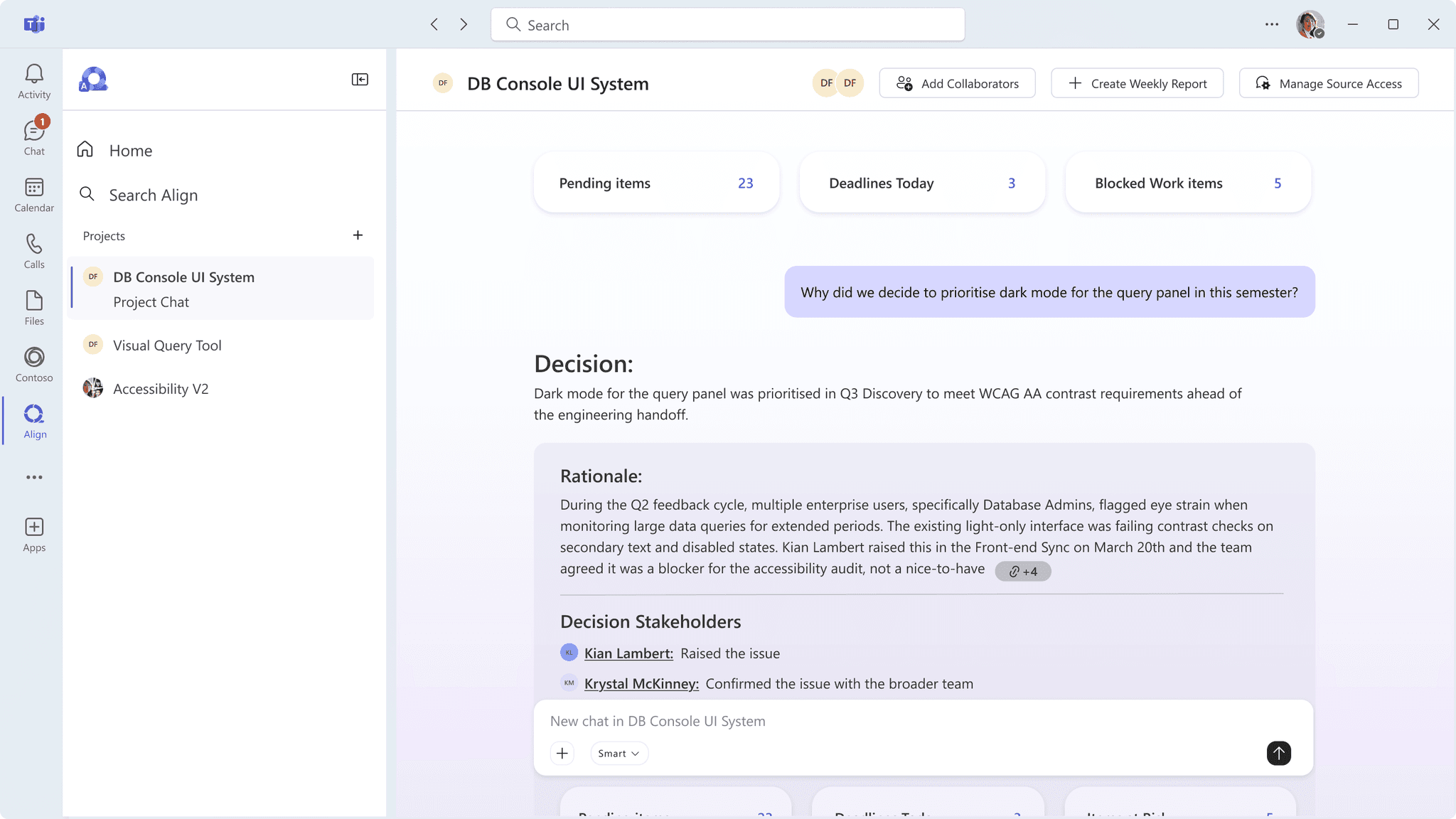
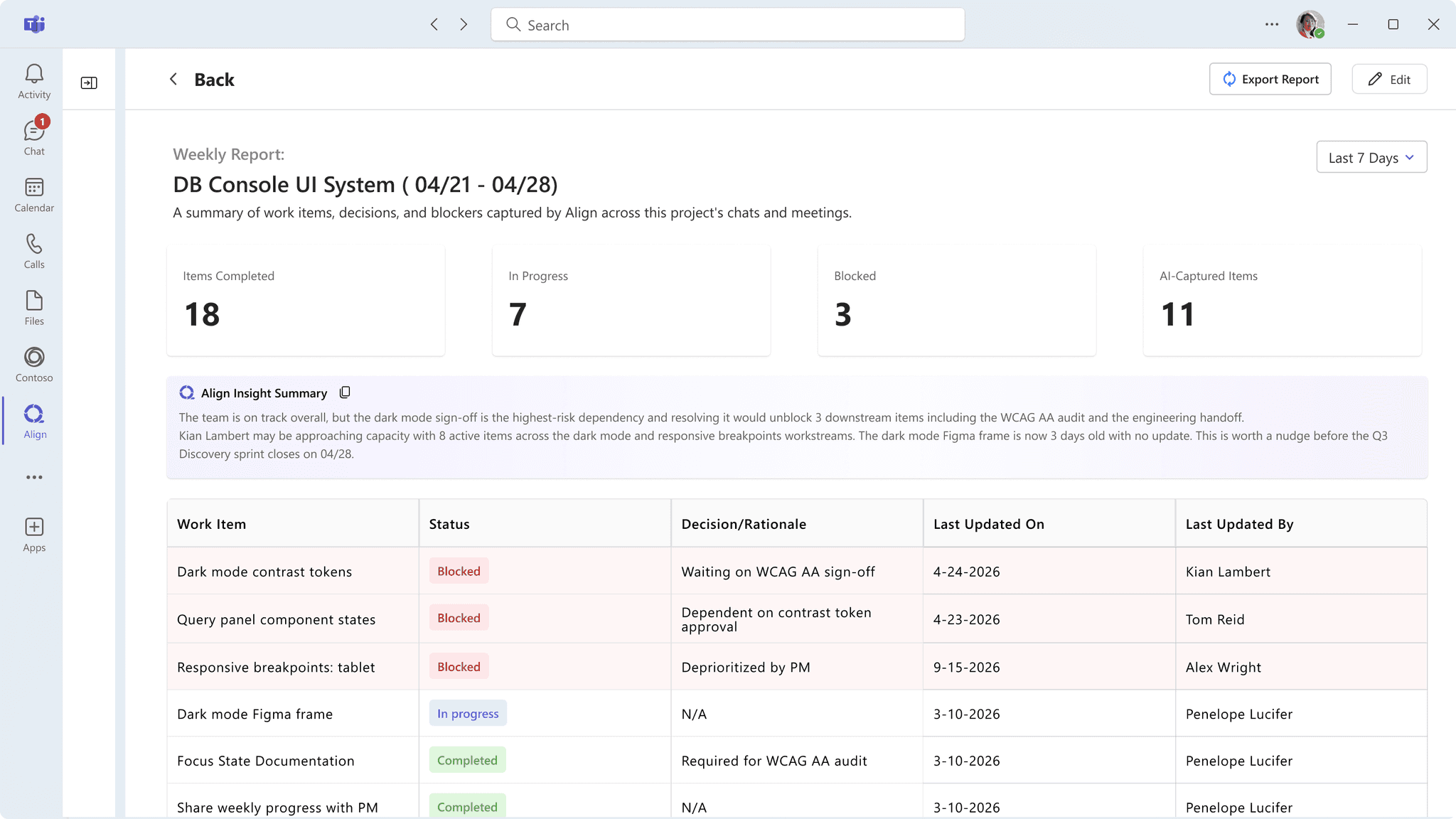
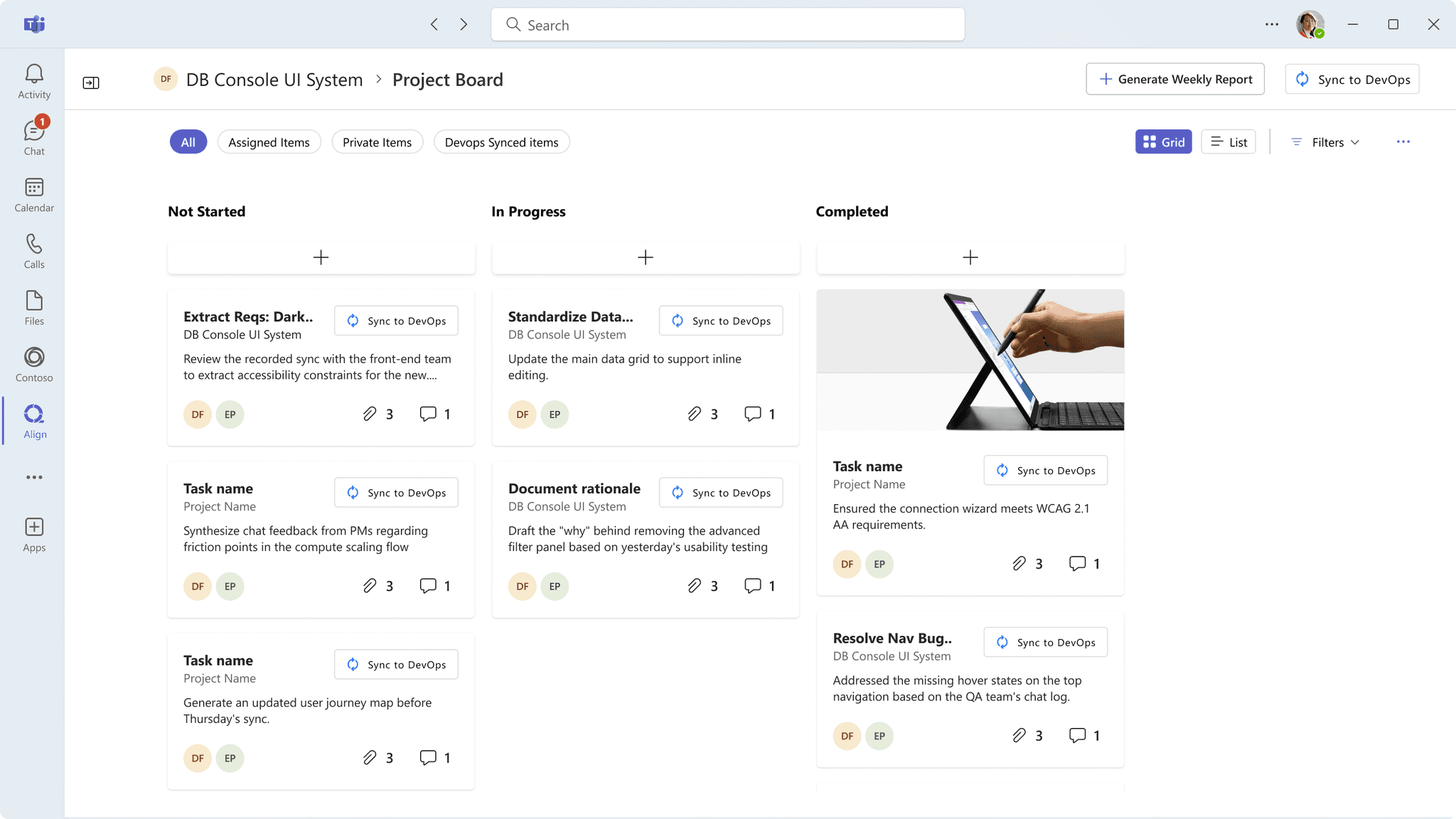
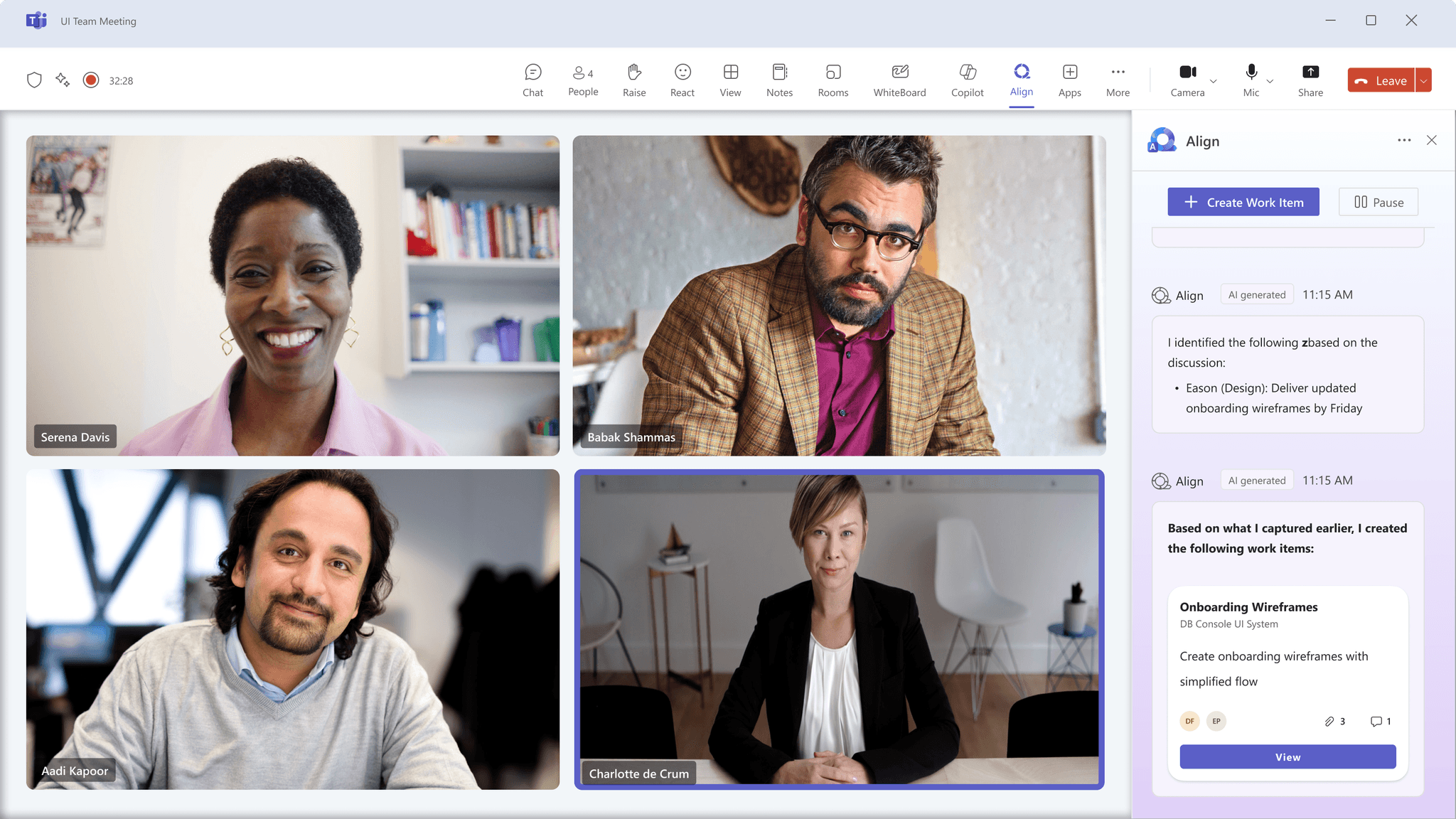
Copilot handles tasks. Align handles context.
Users left the workshop curious about Align but unsure how it was different from Copilot. The onboarding flow was our response to that.
Designed to feel at home in Teams
From the logo to the components, everything was designed to sit comfortably within the Microsoft ecosystem.
ALIGN LOGO
The circular arrow captures the core idea, a complete cycle from activity to documentation.
The gradient and icon shape were kept deliberately close to the Microsoft design language so Align feels like it belongs in Teams, not bolted on to it.
FLUENT WEB 2.O DESIGN SYSTEM
Align was designed using Microsoft's Fluent Web 2.0 design system to ensure it felt native within the Teams environment.
Where Fluent didn't have components specific to Align's needs, we created new ones following the same patterns, typography, and visual language.
REFLECTIONS
What Align taught me
DESIGNING FOR TRUST IS A DIFFERENT PROBLEM
Most design problems ask you to reduce friction. AI design asks you to calibrate it. The workshop finding that designers wanted AI to do the heavy lifting but needed the final decision to feel like theirs reframed everything. I stopped asking "how do I make this faster" and started asking "how do I make this feel safe to rely on." Those are very different questions.
RATIONALE DOESN'T SPEAK FOR ITSELF
In a large distributed team, a design decision without visible reasoning gets relitigated constantly. I learned to document decisions not as a handoff formality but as a design act in itself, something that keeps the work moving even when I'm not in the room. Designing Align made that lesson impossible to ignore.
THE SKILL I DIDN'T EXPECT TO STRETCH
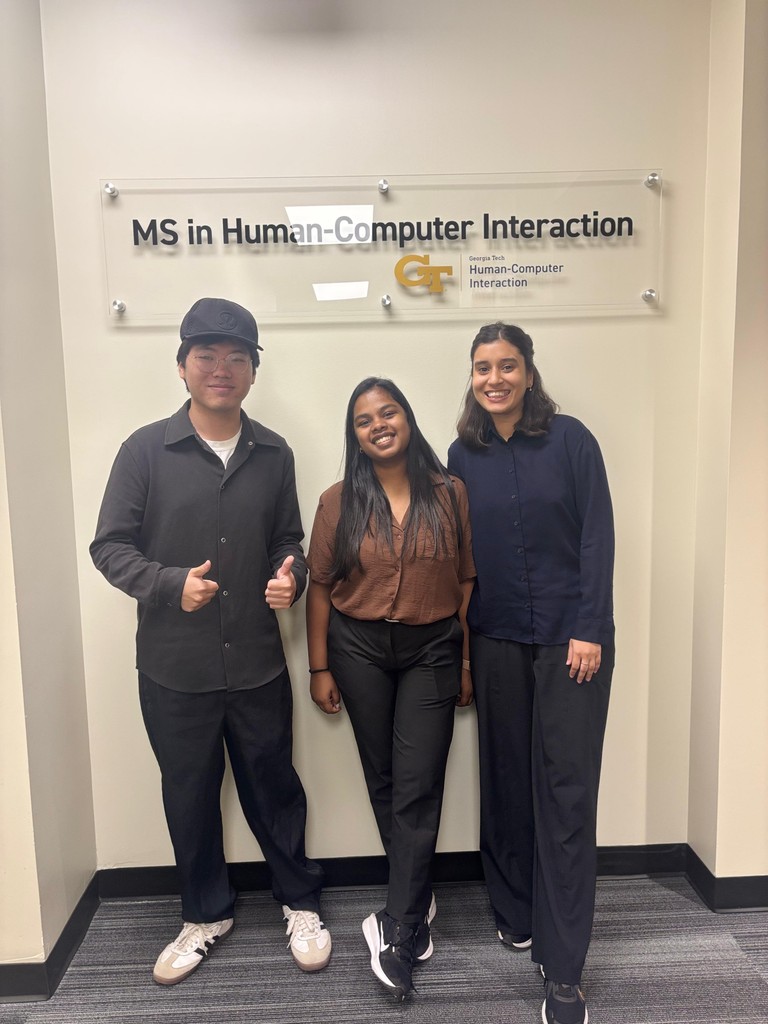
I came in thinking the hard part would be the AI interaction design. The skill I actually stretched most was facilitation. Running a workshop with 32 Microsoft designers taught me that good facilitation isn't about controlling a room, it's about making it safe for people to say the uncomfortable thing. The most useful finding from that session came from someone contradicting our assumptions.